
Наръчник на пациента
Patient Manual
How to attach a file to a medical examination
Вижте тази страница на български
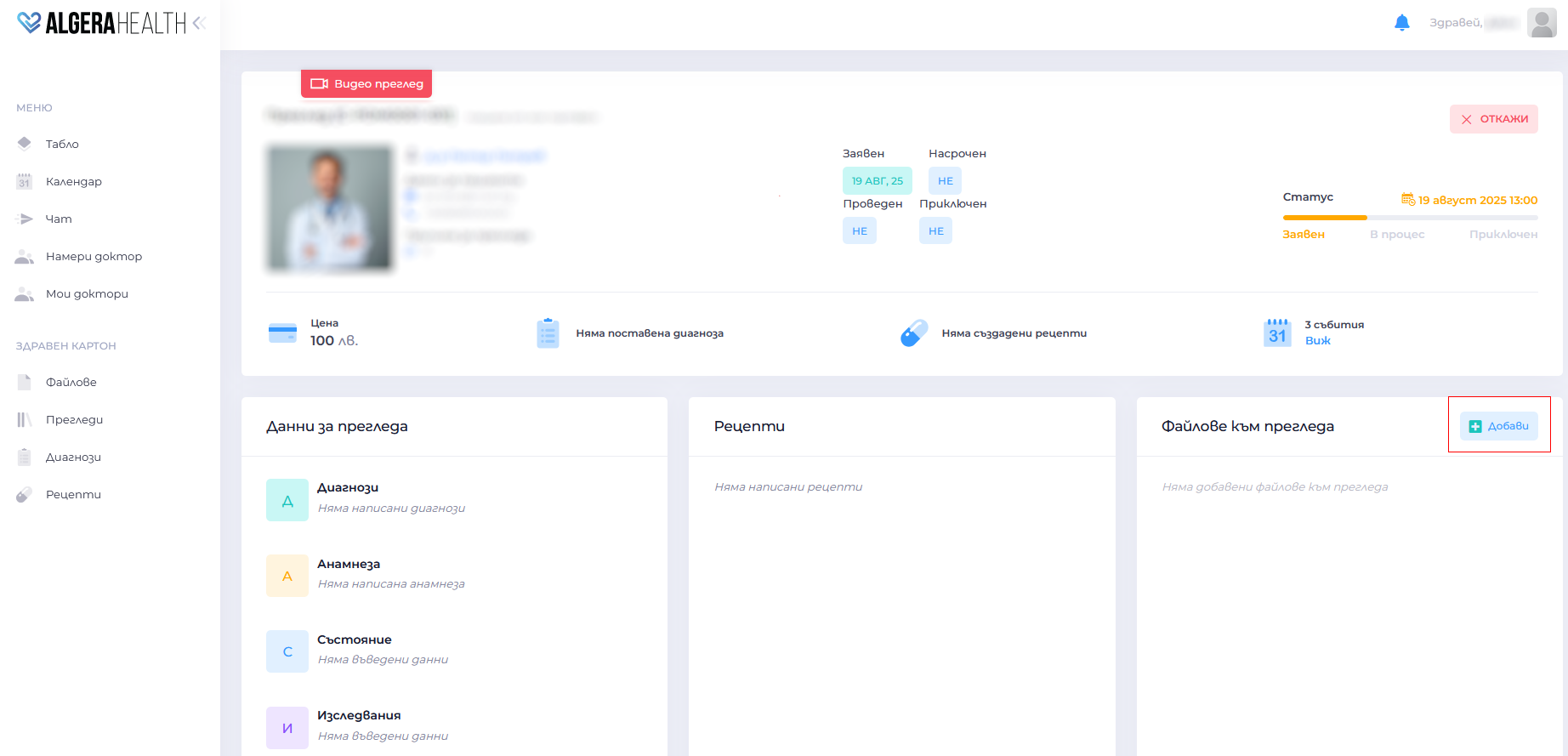
- Open the examination dashboard
- Go to “Файлове към прегледа (Files for review)”
- Click the button “Добави (Add)”
- Select a document/photo from your device
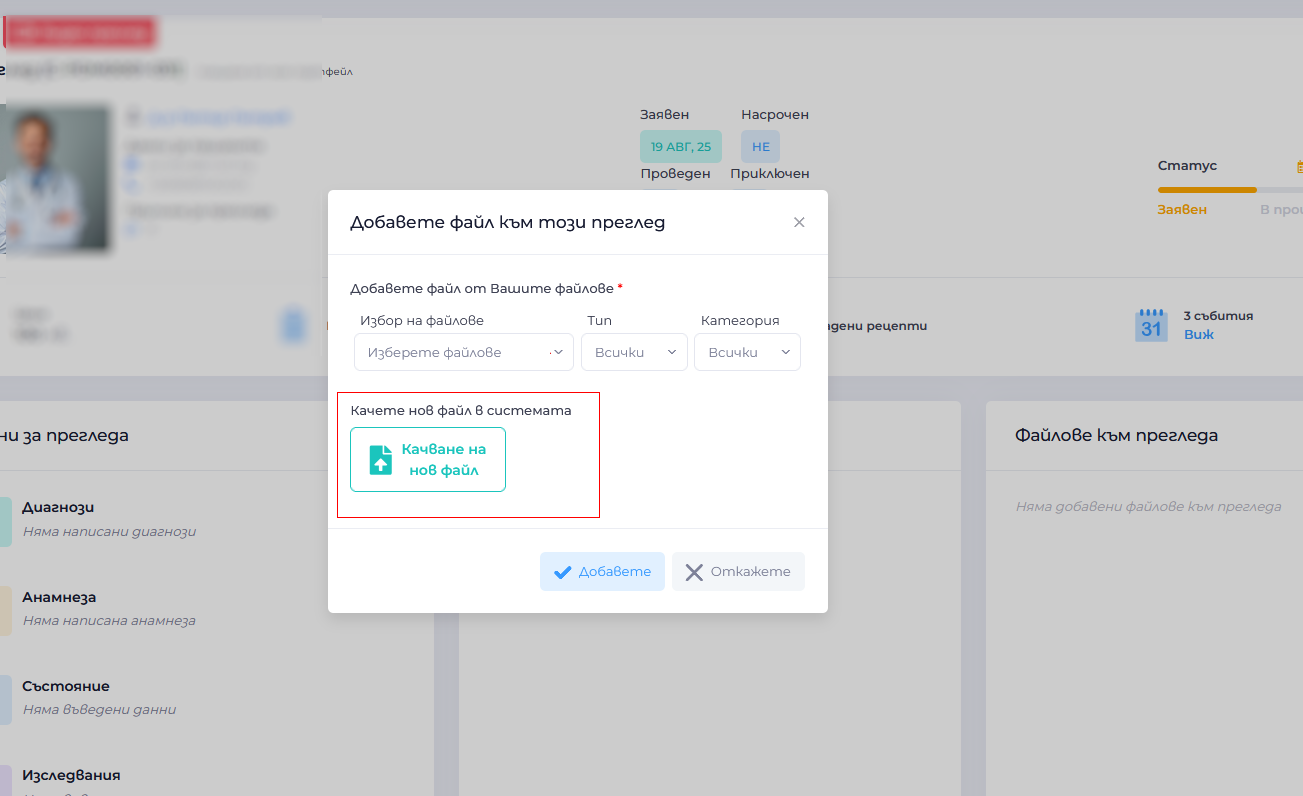
- Wait for confirmation that the upload was successful
- Example: You can attach research results, previous epicrisis reports or photos

