
Наръчник на пациента
Patient Manual
How to book an appointment with a doctor
Вижте тази страница на български
A guide to the process from request to conducting of a medical examination.
- Types of consultations
- Online Video consultation/review – more information
- Online Text consultation – more information
- On-site review/examination in the doctor’s office – more information
- How to book a consultation
- Login to your profile
- Open “Find a doctor” or “My doctors” (if you have already visited this doctor)
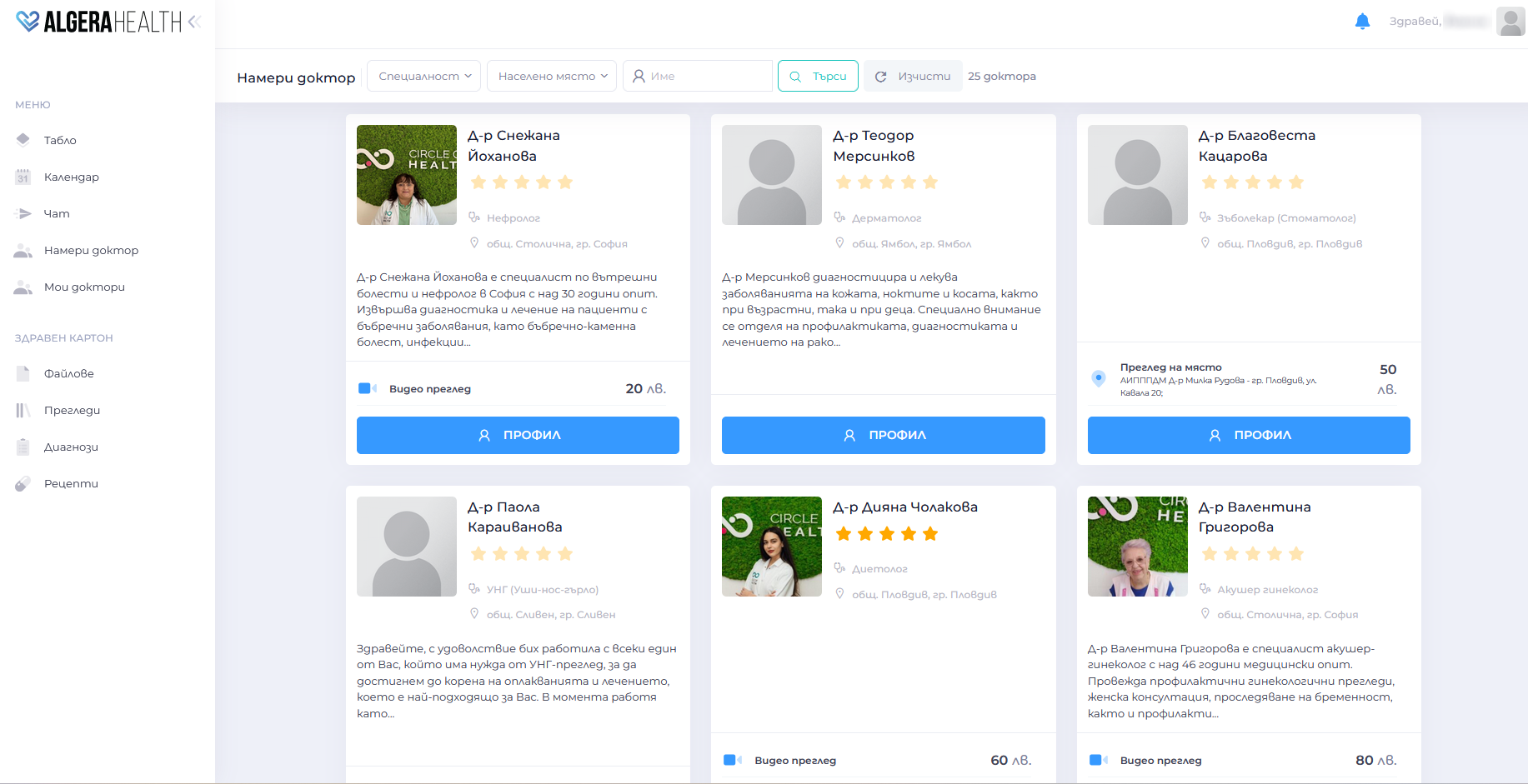
-
In the profile of the selected doctor, click the button “Запази преглед (Save review)”
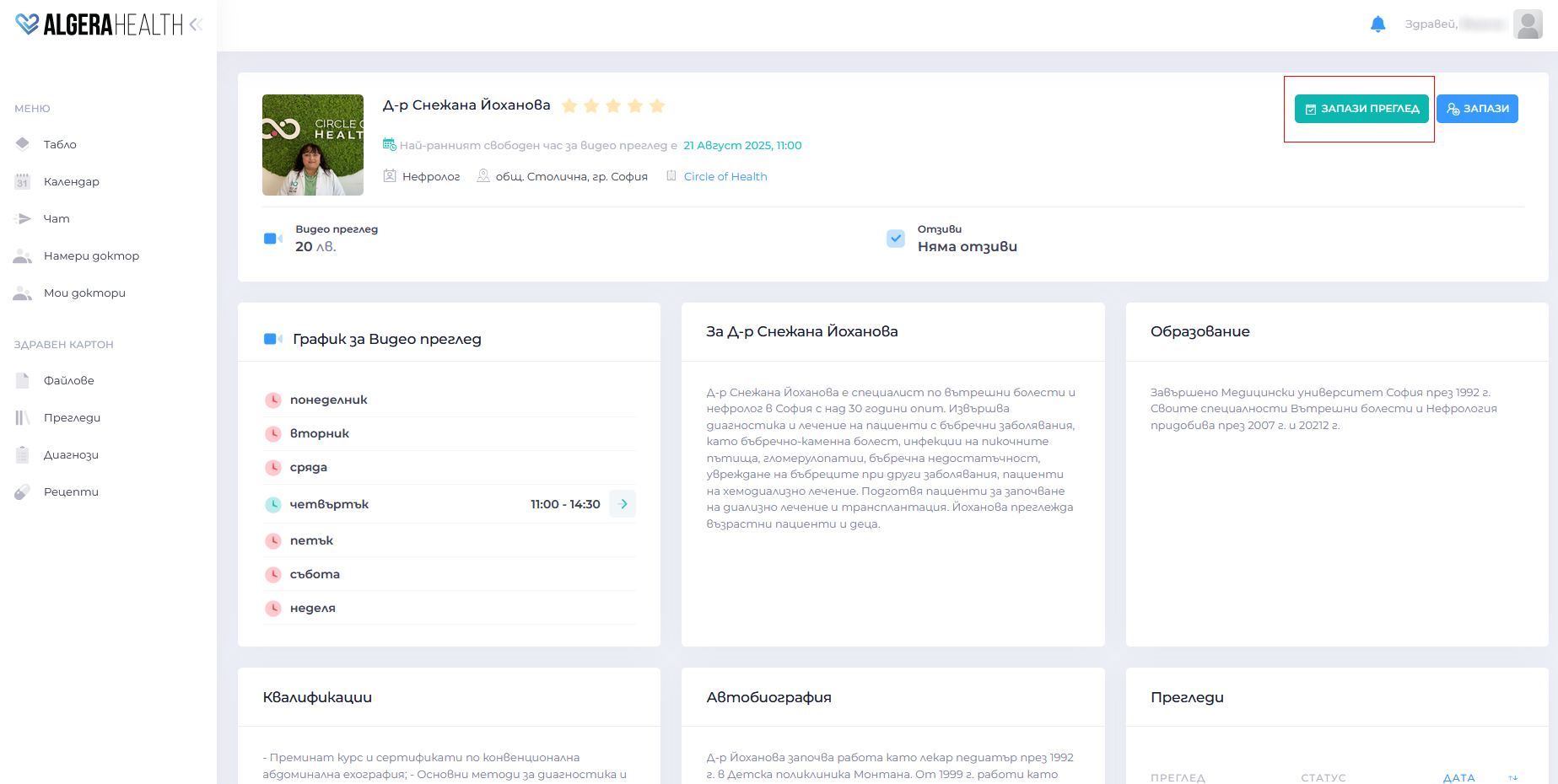
-
Step 1: Select the desired type of consultation (Video review / Text consultation / On-site review)
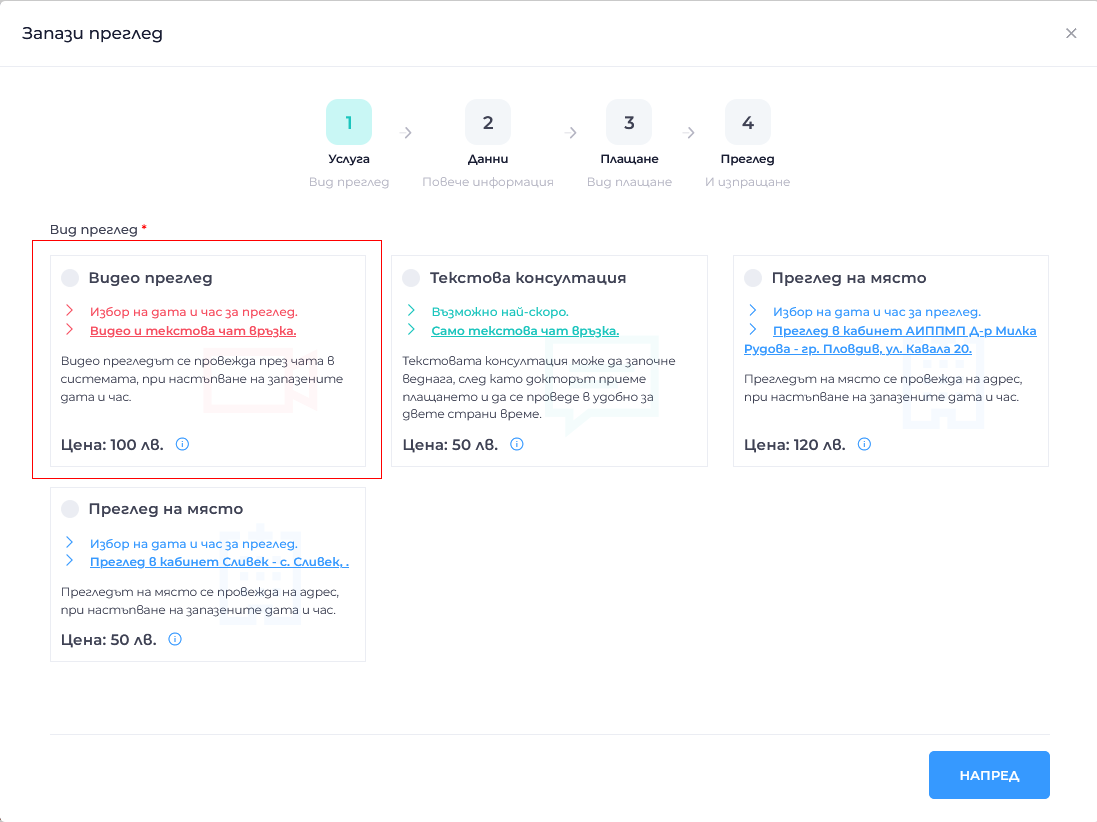
-
Step 2: Select the desired date and time for the review
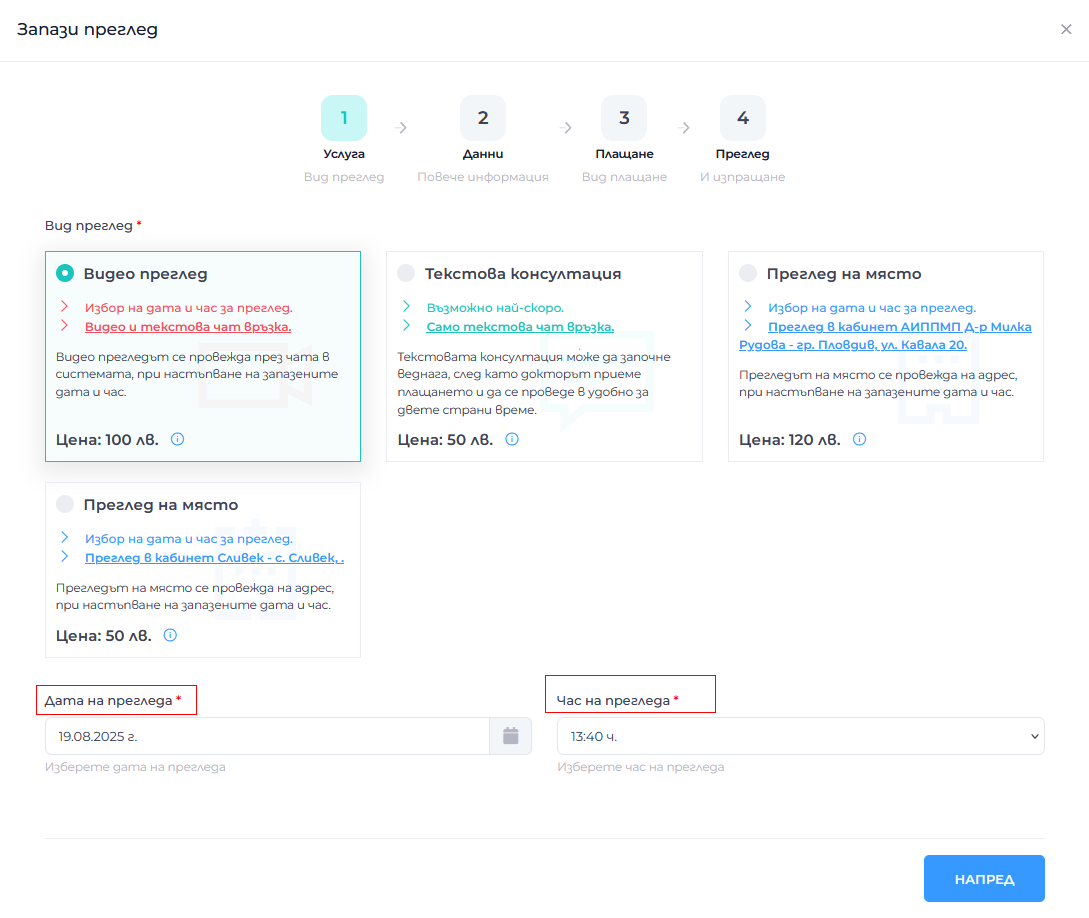
-
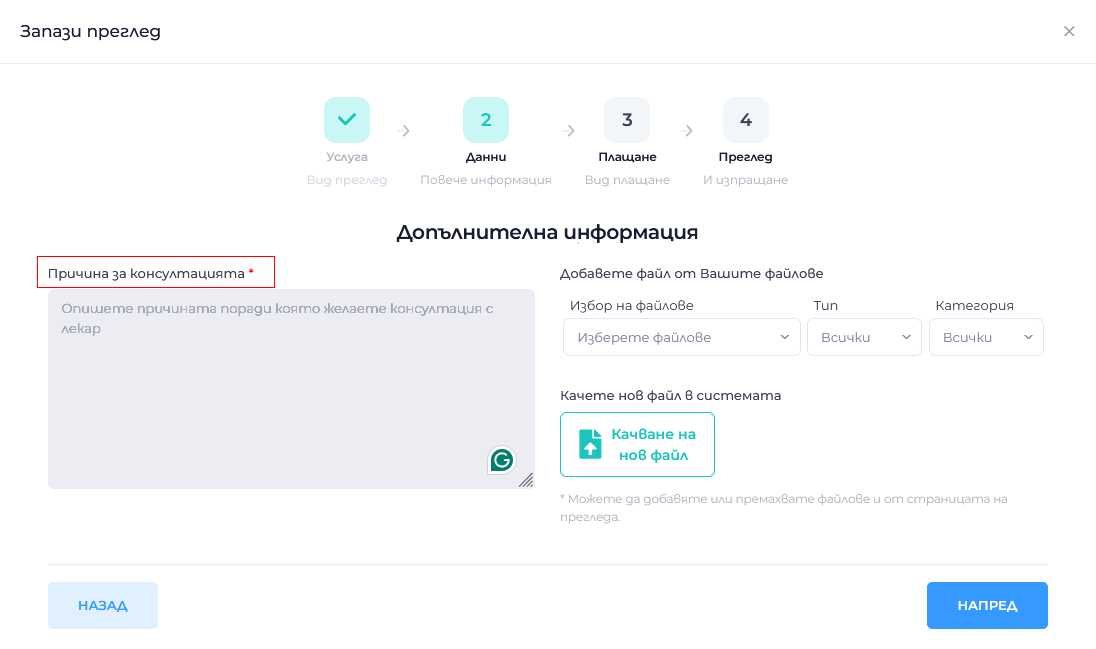
Step 3: Fill in the Reason for the consultation. You can attach a file if desired
-
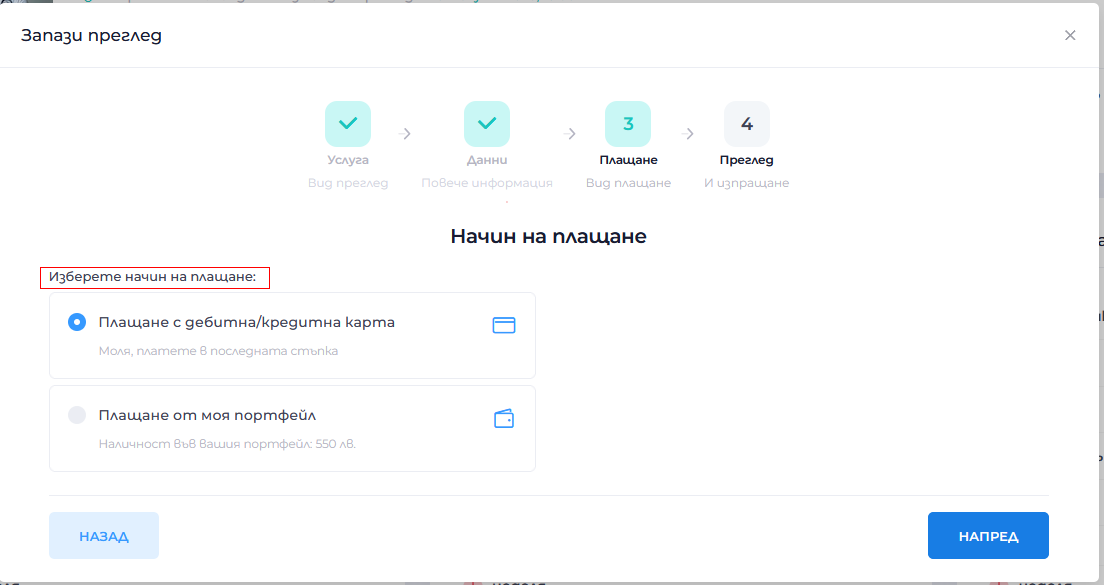
Step 4: Choose a payment method
-
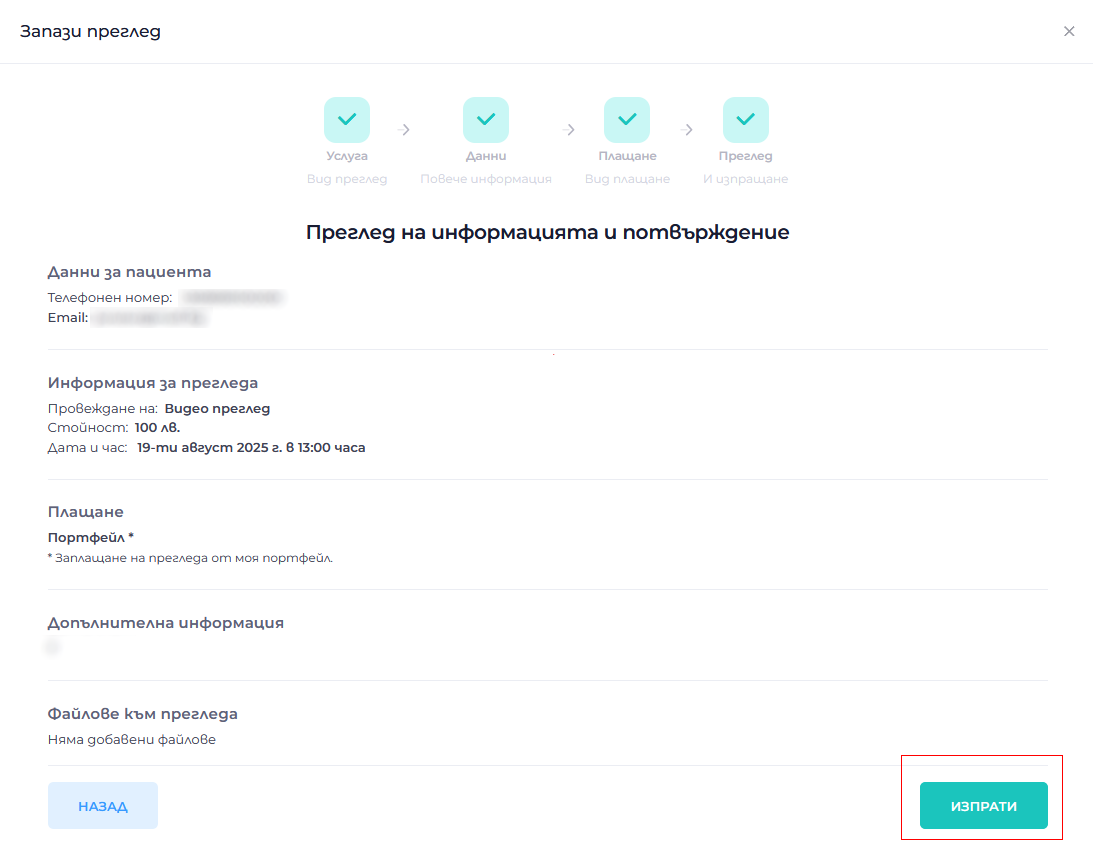
Step 5: Review all review information and click “Изпрати (Send)”
-
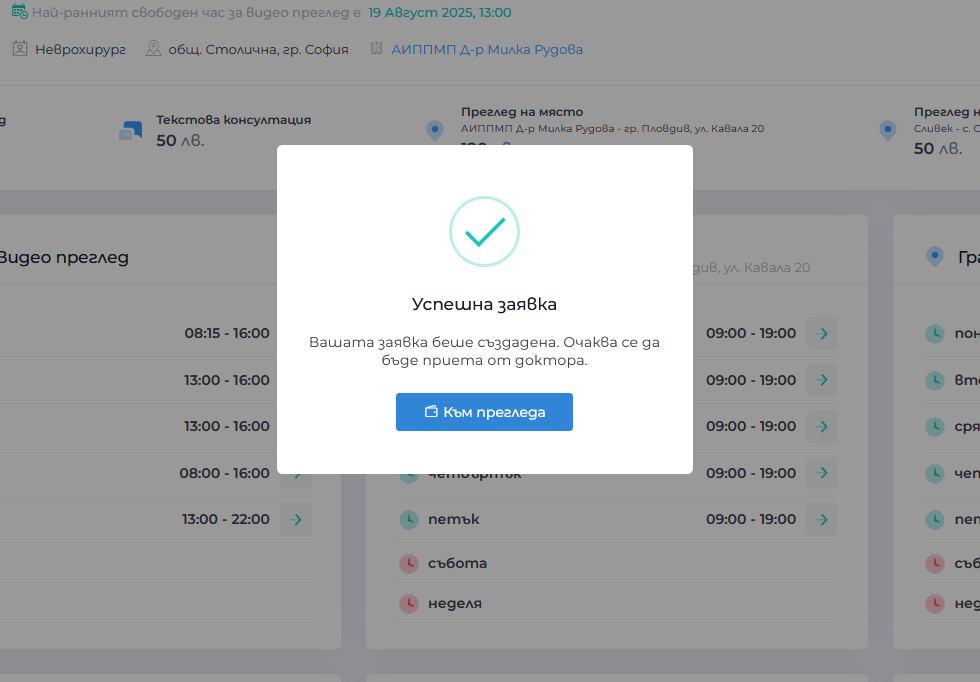
You will receive a confirmation on your screen and a notification in your email
-
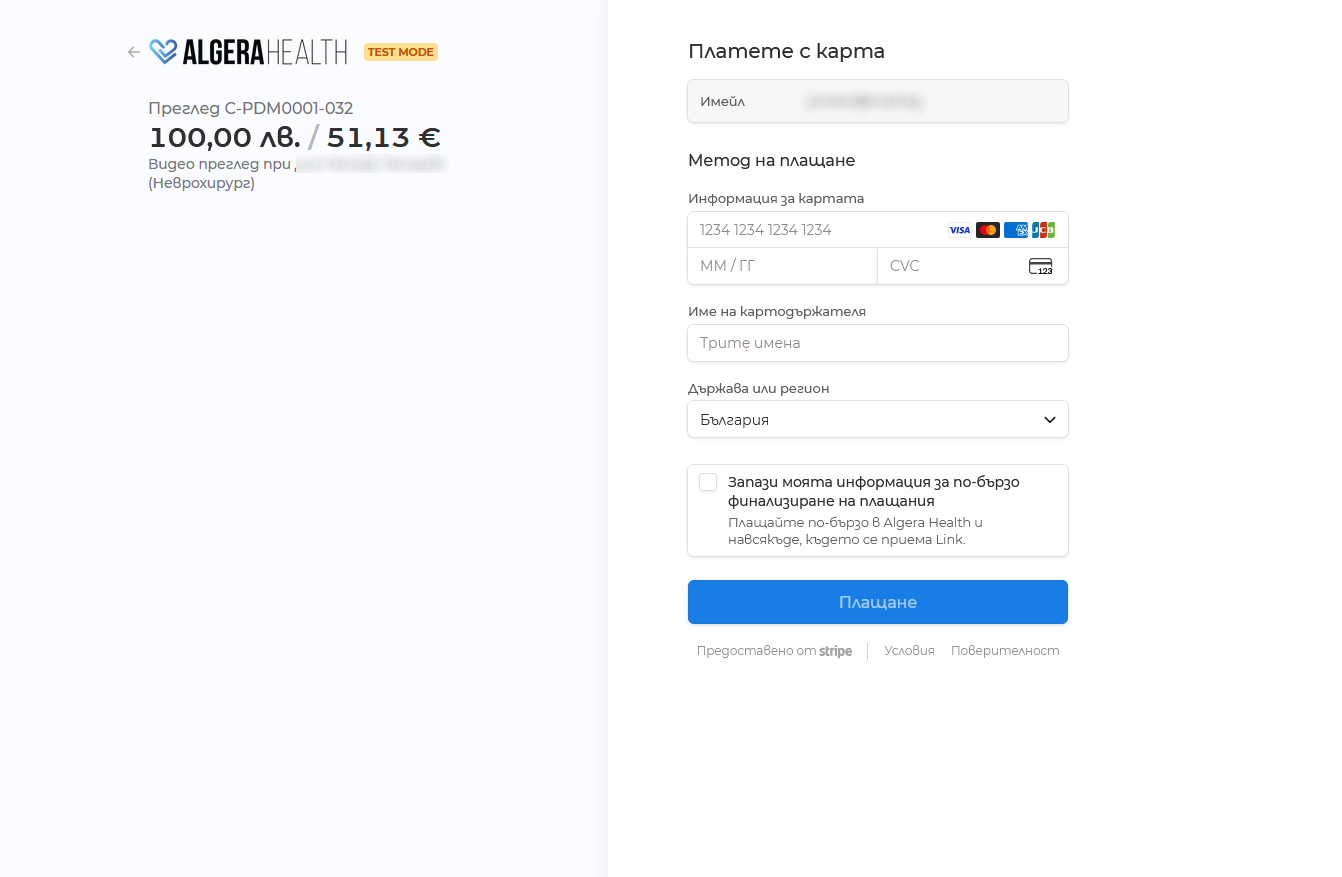
Pay with a card or from your personal wallet
- The doctor must accept your request for the examination and the examination to be conducted








