
Наръчник на пациента
Patient Manual
Registration
Вижте тази страница на български
- Visit the website app.algerahealth.com
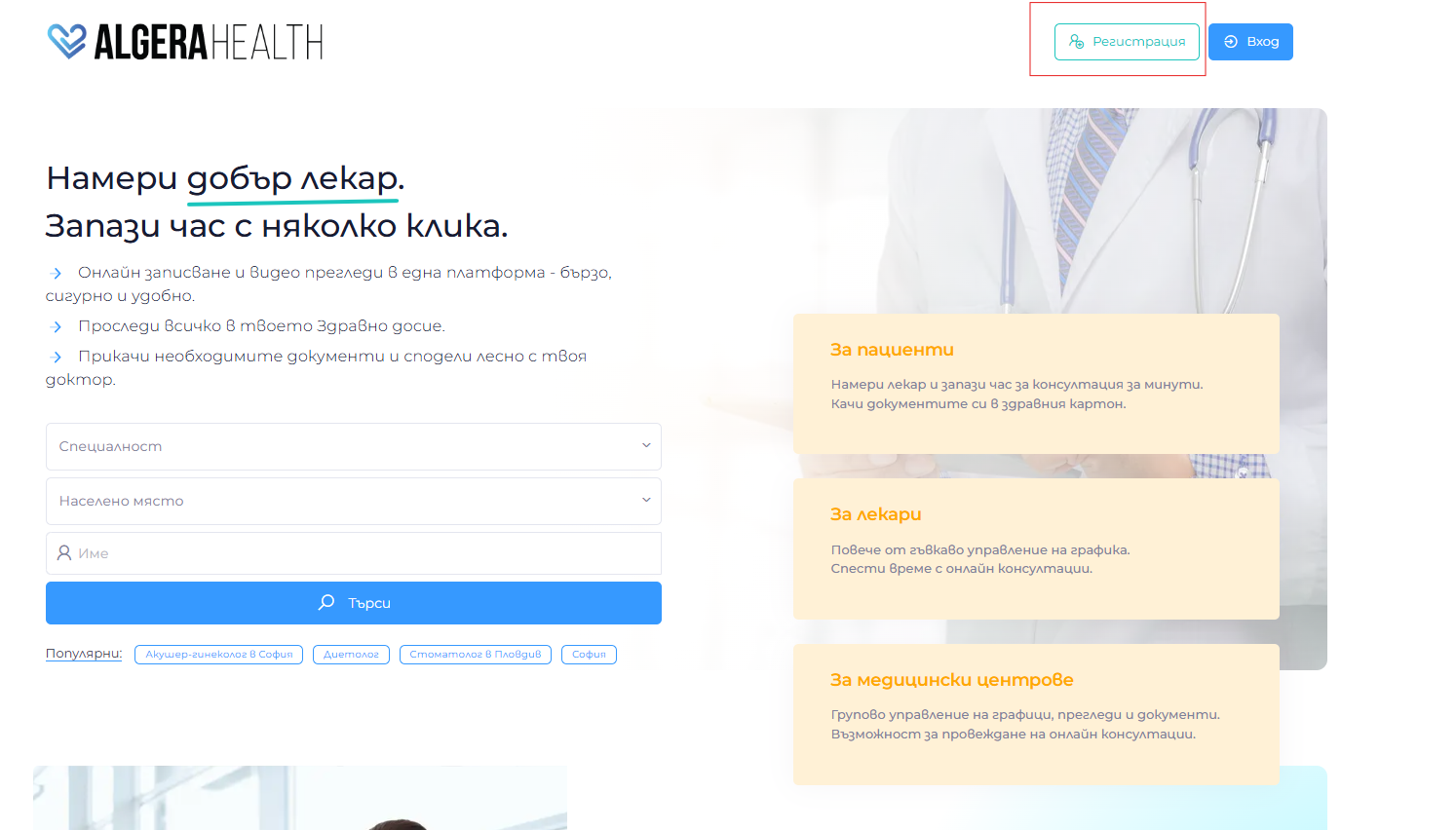
- Click the button “Регистрация” (Registration)
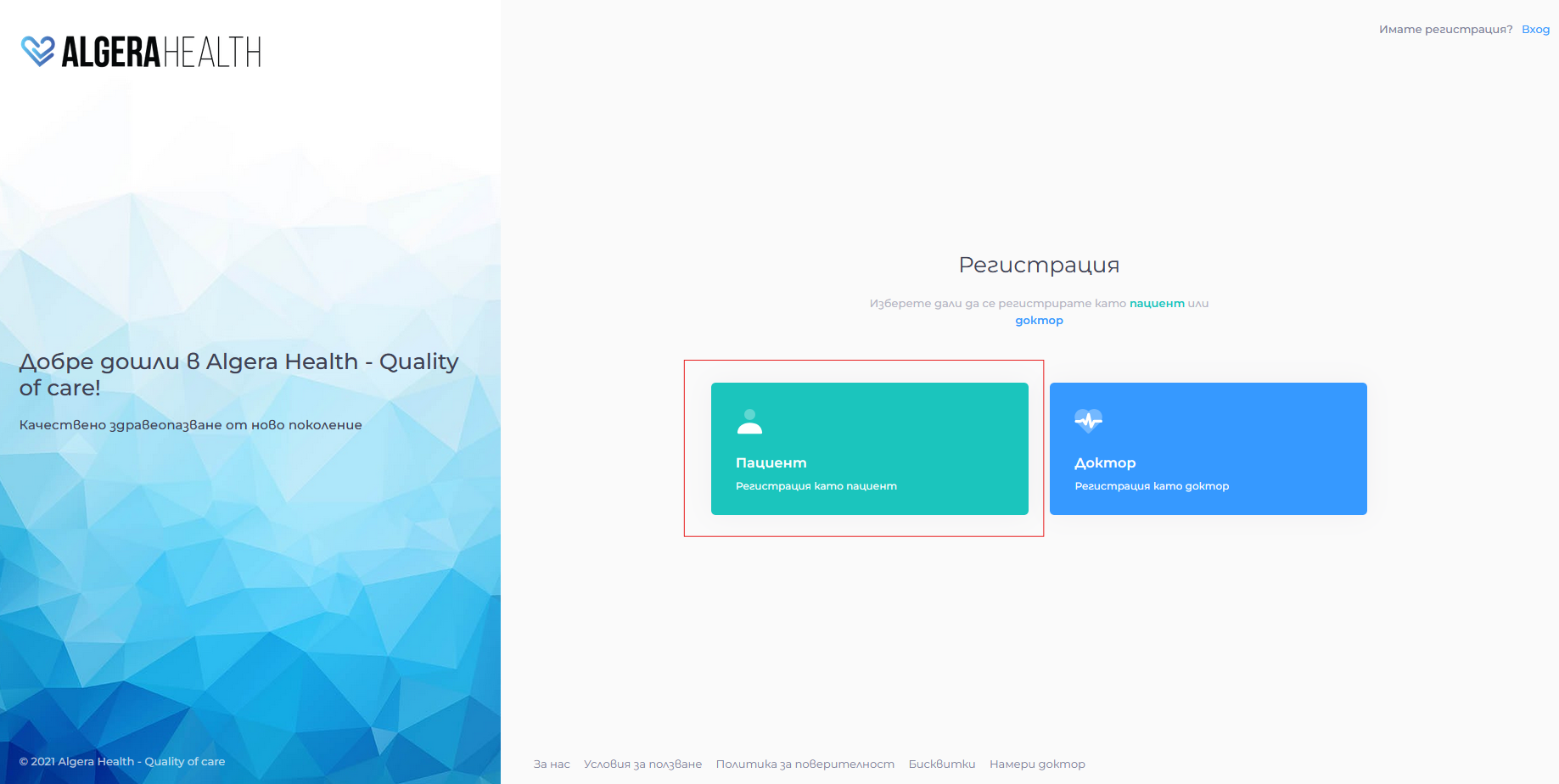
- Select “Регистрация като пациент” (Register as a Patient)
- Fill in the fields (required fields are marked with an asterisk)
- The password must be between 10 and 60 characters long and contain at least one Latin letter and at least one special character: “@”, “!”, “#”, “$”, etc.
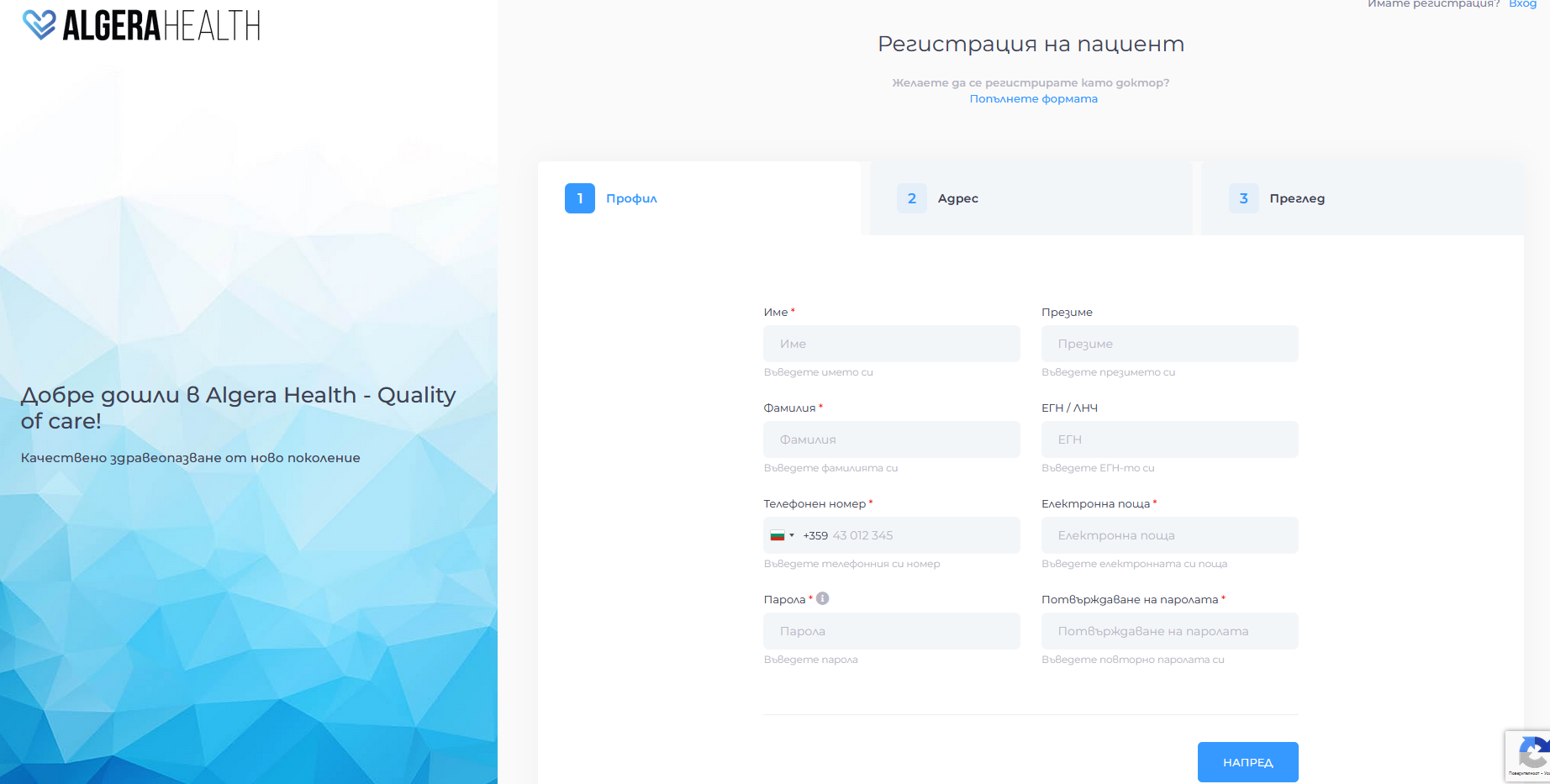
- The password must be between 10 and 60 characters long and contain at least one Latin letter and at least one special character: “@”, “!”, “#”, “$”, etc.
- Accept the terms of use and click “Регистрирай се (Register)”
- Check your email (the one you specified in the email address field when registering) and confirm your registration via the link sent


